


Tables aren’t just old-school tools for displaying raw data anymore.
Modern websites organize everything from feature comparisons and pricing plans to schedules and product breakdowns.
But here’s the catch—while plenty of table plugins are out there, not all will give you the flexibility and functionality you need.
After testing dozens of table plugins over the years, I can tell you from experience: the right one makes a huge difference.
So, before you hit install or pull out your credit card, ensure your plugin checks the boxes below.
- 1. Ease of Use and Interface
- 2. Mobile Responsiveness
- 3. Pre-built Templates
- 4. Content Flexibility Inside Cells
- 5. Advanced Functionalities
- 6. Import and Export Options
- 7. WooCommerce Compatibility (If You Run a Store)
- 8. Lightweight and Performance Optimized
- 9. Accessibility and SEO Friendliness
- 10. Pricing and Licensing
1. Ease of Use and Interface
Let’s be honest—no one wants to wrestle with a clunky editor. The best table plugins make things simple.
What to look for:
-
A visual drag-and-drop builder: A visual drag-and-drop table builder lets you build and rearrange table elements visually.
-
Gutenberg compatibility: Seamless integration with the native WordPress editor for a smoother workflow.
-
Visual styling: Visual customization is needed to customize borders, fonts, and colors directly in the editor—no CSS is needed.
Real example: Tableberg makes this easy by using a block-based interface. You can insert text, buttons, images, and more directly in the editor. No coding, no guesswork.
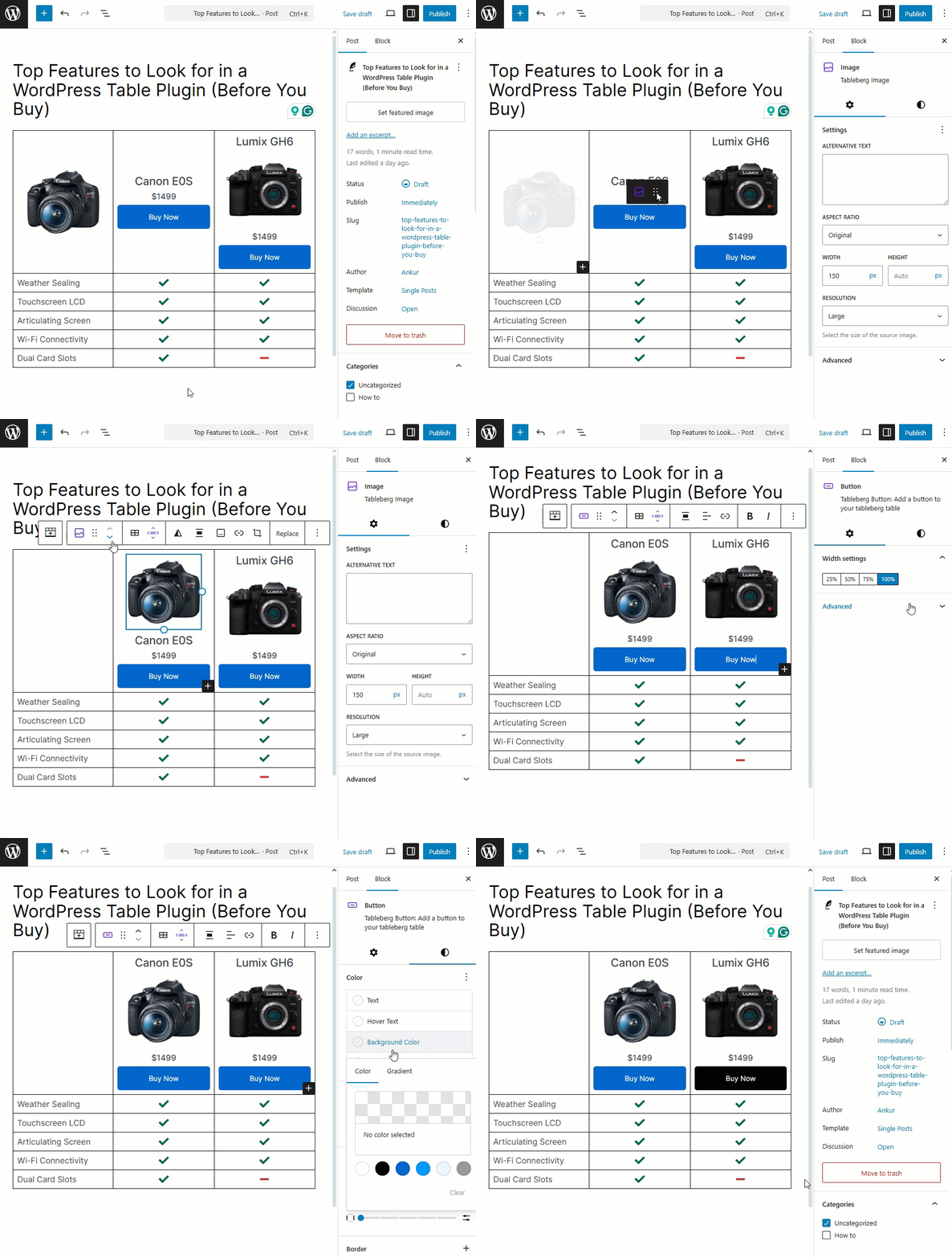
Why it matters: If you spend more time figuring out the plugin than creating your table, something’s off. A smooth UI saves time and frustration.
2. Mobile Responsiveness
Over half of your visitors are probably browsing on mobile. If your table breaks on a phone, you’re in trouble.
What to look for:
-
Automatic responsive behavior: It adjusts your tables for smaller screens independently.
-
Hide columns on small screens: Options to hide or show specific columns on mobile give you full control over what’s visible on smaller devices.
-
Column stacking or horizontal scrolling: Stacking rows or horizontal scrolling makes your tables easier to navigate on phones and tablets.
Real example: Tables built with Tableberg adjust beautifully across screen sizes—right out of the box.
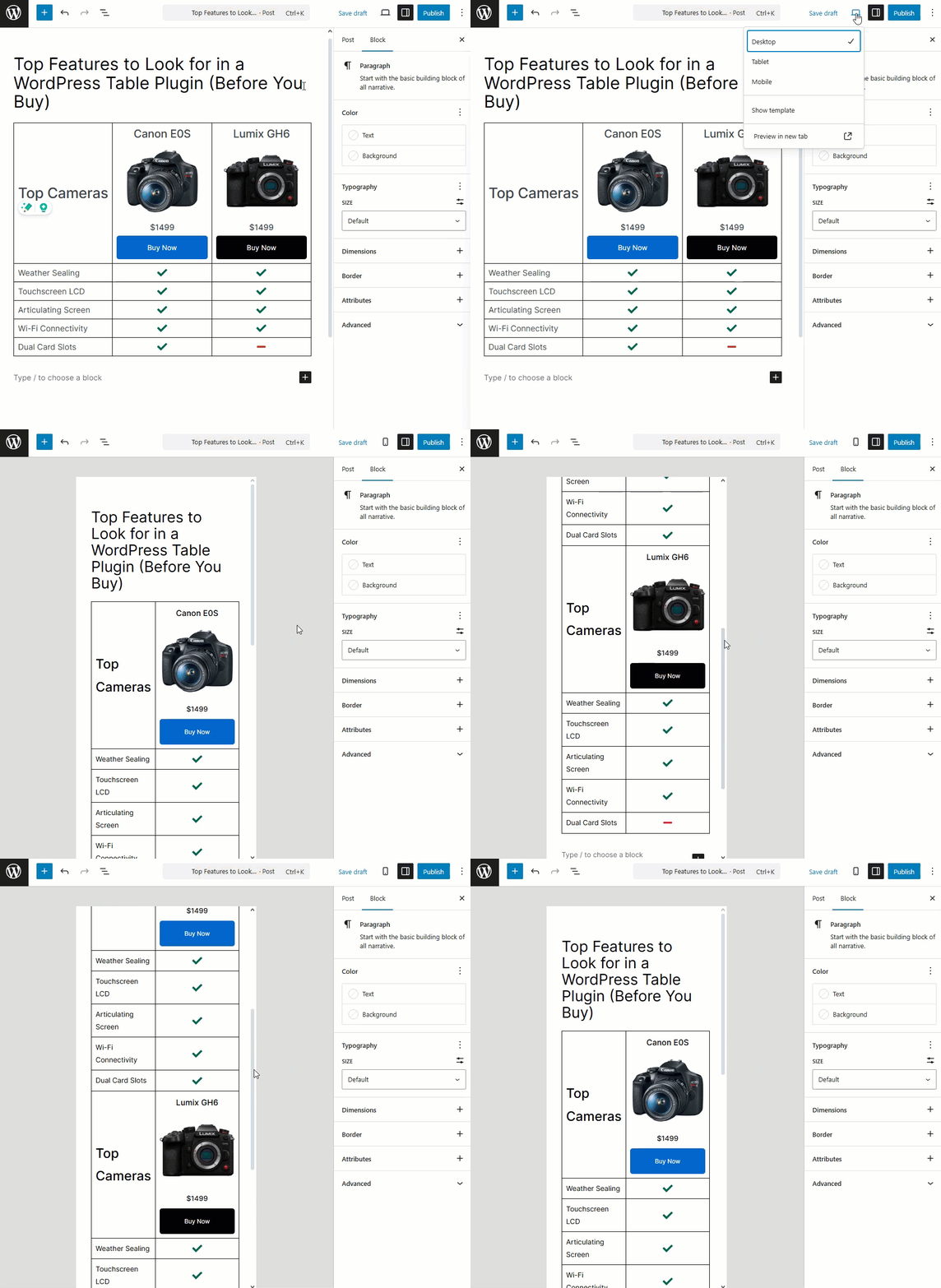
Why it matters: Mobile users expect readability and speed. A good table plugin ensures your content stays clean and functional, no matter the device.
3. Pre-built Templates
Templates can be lifesavers, especially when you’re building multiple tables.
What to look for:
-
Variety of table templates: The table plugin should have various layouts, such as pricing, comparison, feature tables, etc., so users can get their table ready on the go.
-
Easy customization options: Easy customizable options of a table plugin allow you to change colors, text, and structure based on your needs.
Real example: Tableberg offers over 27+ sleek templates that can be tailored to your needs—great for beginners and power users alike.
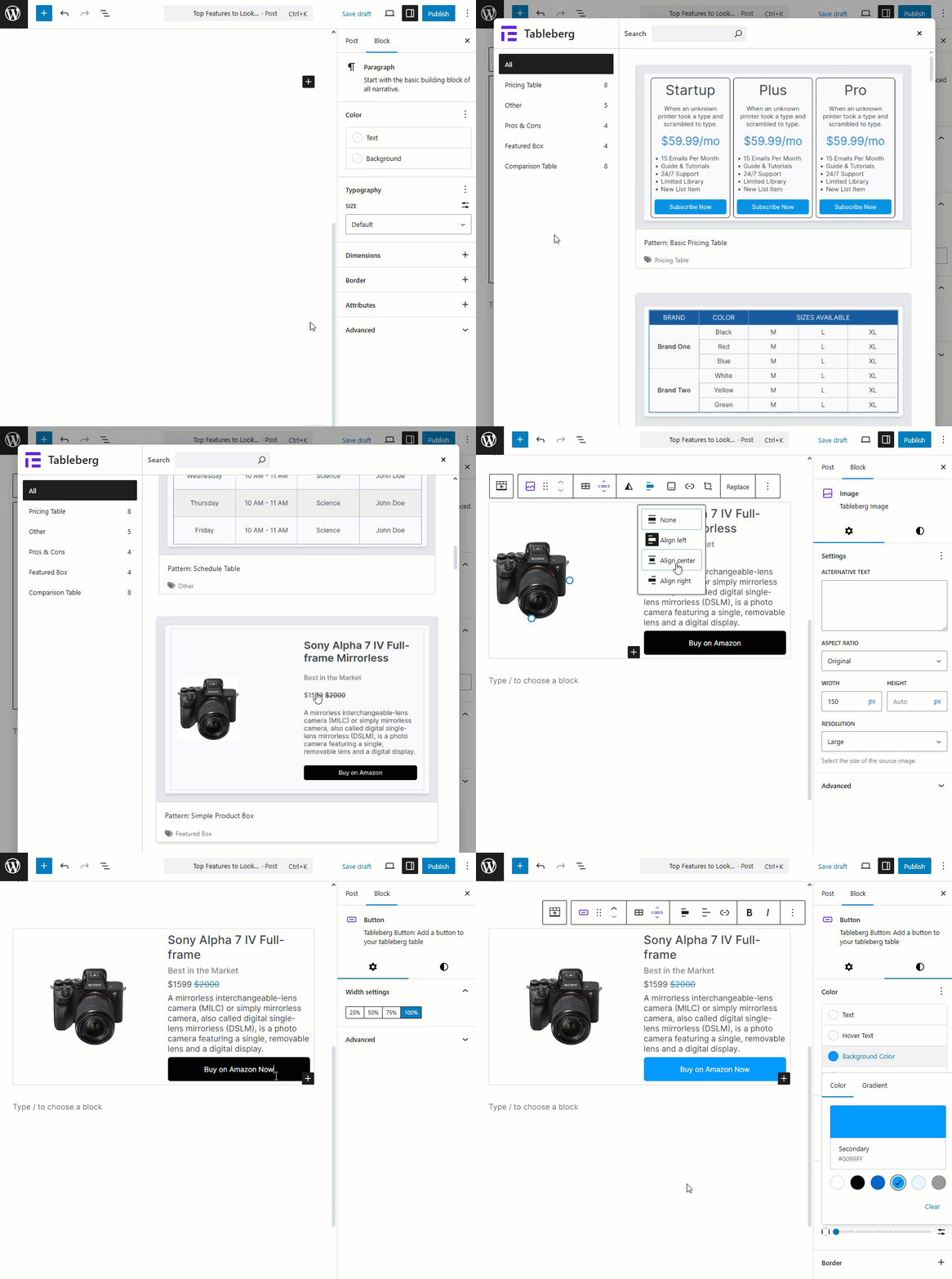
Why it matters: Templates help you stay consistent in design and drastically reduce build time.
4. Content Flexibility Inside Cells
Those days are gone when table cells only held text. You should be able to build interactive, rich tables.
What to look for:
-
Ability to add various content: The table plugin should be able to insert images, buttons, icons, star ratings, ribbons, or any other Gutenberg blocks directly inside cells for added engagement.
-
Block-based cell customization: All block-based table plugins should have the options to customize and block the cell independently.
Real example: Tableberg allows you to insert various blocks, like Star Rating, Button, Icon, and List, into any cell.
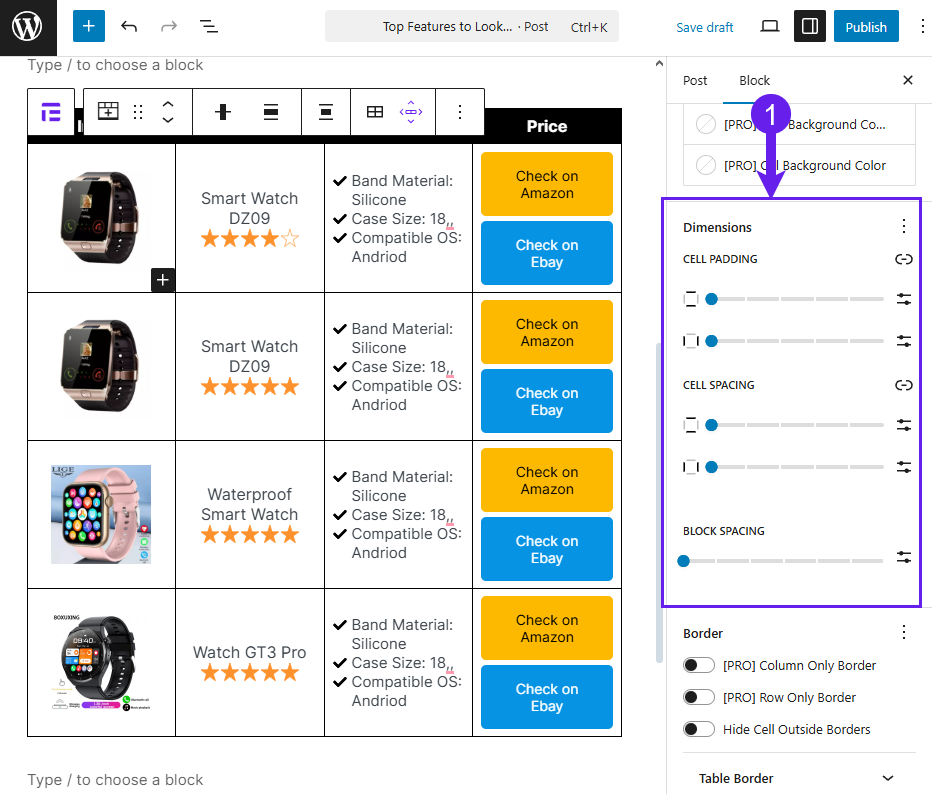
Why it matters: Rich content makes your tables more engaging and actionable, especially for product showcases or service comparisons.
5. Advanced Functionalities
This is where a table plugin starts to show its strength.
What to look for:
-
Sorting and filtering options: Sorting and filtering to help users organize data easily.
-
Built-in search functionality: Search boxes let readers quickly find content inside large tables.
-
Sticky headers or first columns: It is a solid option to make header rows or columns visible during scrolling.
-